


DS PRO
3.716.00 Reviews
App Specs
- Version
- 1.2.2
- Updated On
- License
- Free
- Downloads
- 50,000+
- Developer
- Meta Insight
- Categories
- Tools
- Platform
- Android
Screenshots

 Analysis by AppCompare
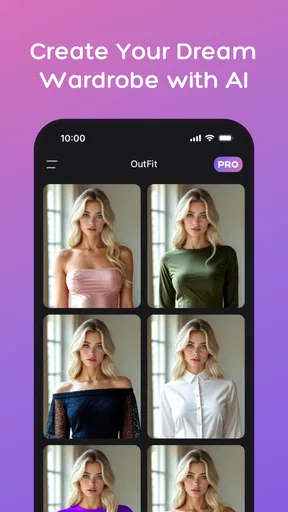
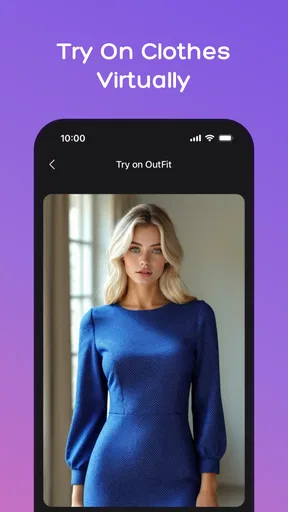
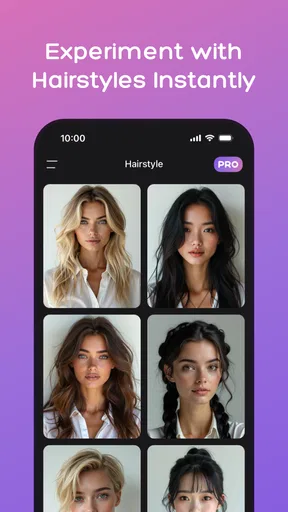
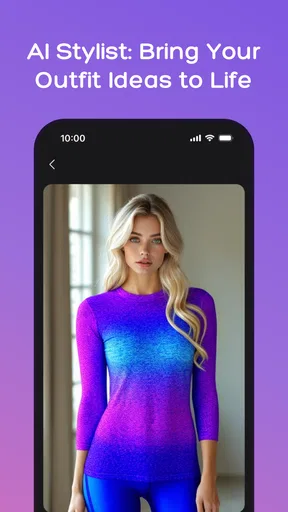
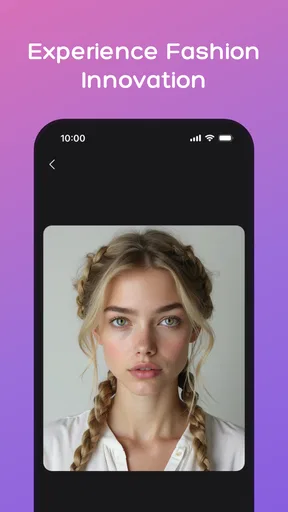
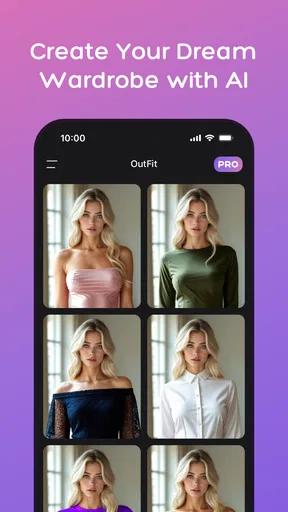
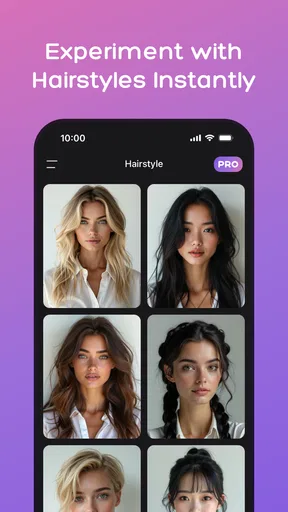
I approached DS PRO expecting a practical way to preview changes to my look, not another place to manage work. That distinction matters: this is a free Android styling tool from Meta Insight, aimed at people who want to explore outfit and hairstyle ideas with AI before making a real-world choice. Its focus makes more sense when I treat it as a visual trial space rather than a general-purpose productivity app.
Trying a look before committing
The most useful way to approach a virtual styling app is with a specific decision in mind. I might be choosing an outfit for a dinner, wondering whether a different hairstyle would suit a profile photo, or trying to narrow down ideas before asking a stylist. In those situations, an AI preview can help me compare possibilities without buying clothes or changing my hair first. It is best understood as inspiration, not a promise that a digital image will match the result in person.
For a more useful comparison, I would keep the starting photo and the question consistent. If I am deciding between two broad style directions, I would try to judge the overall impression rather than scrutinize tiny details. A generated preview can help me notice that I prefer a softer silhouette or a different hair length, for example, even when it is not precise enough to serve as a fitting-room guarantee.
That makes the app most appealing to curious users who enjoy experimenting visually and do not need a professional styling consultation. Someone who already knows exactly what they want, needs accurate garment measurements, or expects a reliable prediction of how fabric will fit may be better served by trying items on in person or consulting a human stylist. The distinction is important: a convincing-looking preview can still be only a concept.
Readability and navigation in everyday use
The store presents DS PRO as a virtual styling app, while its short description is simply “DS PRO.” I would therefore judge its interface by whether it helps a first-time user understand the path from choosing a photo to exploring a look, rather than by expectations formed by task managers or calendar tools. A straightforward flow matters here because styling is visual: extra steps or unclear choices can interrupt the comparison the user came to make.
For anyone who finds dense interfaces tiring, a focused tool can be easier to approach than a large fashion platform packed with shopping feeds and social features. Still, ease of navigation is not the same as complete accessibility. I would check that text, controls, and instructions are comfortable to read on my own device, and take a moment to learn what each choice changes before treating the results as comparable.
A useful small habit is to decide what I want to evaluate before starting: hairstyle, overall outfit direction, or a particular occasion. That keeps the session purposeful and makes it easier to compare results fairly. If I change several things at once, it becomes harder to tell which change actually made the preview feel more suitable.
Worth Reading Before You Choose

EA SPORTS FC Mobile 26 Is a Bigger Football Game, but It Takes Time

Flipboard Shows What News Apps Must Do Beyond the Feed

Switching to Android Auto Means Rethinking Your Driving Routine

Google Calendar Makes a Crowded Week Easier to Manage

Ludo King Makes the Most of the Minutes Between Plans

Baby Panda World Brings Quick Play to Modern Phones, but Its Game Library Feels Busy
Motor, sensory, and situational considerations
Virtual styling can be less physically demanding than browsing racks, changing outfits repeatedly, or travelling to a salon just to discuss an idea. That may make it convenient for someone planning from home, working around limited time, or preferring to make an initial decision privately. The benefit is strongest when the user can comfortably provide and review images on a phone; the app does not remove every barrier associated with visual interaction.
People with low vision, color-vision differences, hand-movement limitations, or sensory sensitivities may have different experiences with photo selection and image comparison. I would not assume that an AI preview is easy for everyone simply because its purpose is visual. Enlarging the phone display, using device-level accessibility settings, or asking a trusted person to help compare results may make a session more manageable, though those workarounds may not suit every user.
Context also affects whether this is the right tool. At home, I can take my time and compare ideas; in a hurry before an event, I may get more value from one focused preview than from repeatedly generating alternatives. For a high-stakes decision, such as a major haircut or an outfit with a strict dress code, I would use the image to explain my preferences to a person rather than rely on it as the final authority.
Practical limits and value
DS PRO is free to install and is rated for everyone, but that does not mean every feature is necessarily free: in-app purchases range from $19.99 to $279.99 per item. I would check the purchase details carefully before committing, especially if I only want a quick experiment. The app has a 3.3 average from 195 ratings, with 50K+ installs, so there is a real audience for it, but those figures alone do not tell me whether a particular generated result will meet my expectations.
The app was released on March 3, 2025, and its current version is 1.2.1, with Android 6.0 as the minimum operating-system requirement. That gives prospective users a practical compatibility check before installation. I would also treat the purchase range as a reason to establish a personal limit in advance: try the basic experience first, decide whether the output is genuinely useful, and only then consider paying for anything optional.
Compared with ordinary photo-editing apps, a styling-focused tool is potentially more convenient when the goal is to explore an outfit or hairstyle rather than adjust a picture manually. Compared with fashion shopping apps, it is a different kind of decision aid: shopping platforms help locate real products, while a virtual preview is useful for shaping an idea. Neither replaces checking actual materials, availability, fit, or a stylist’s advice when those details matter.
First Impressions and Design
The first thing that struck me about DS PRO is its clean and intuitive design. You know how some apps just feel cluttered with too many options screaming for your attention? Well, this isn’t one of them. As soon as you open it, the interface is welcoming and easy to navigate, which makes for a pleasant user experience.
Colors are easy on the eyes, and the layout is straightforward. I personally appreciate when an app doesn’t make me hunt for basic features, and DS PRO nails it. The design team definitely deserves a pat on the back for making sure everything is right where you’d expect it to be.
Features Galore
Now, onto the fun stuff—features! What sets DS PRO apart from other productivity apps is its robust feature set. You’ve got your standard to-do lists and task management tools, but it’s the extras that make it shine.
- Customizable Dashboards: Create your workspace just the way you like it. Whether you’re a minimalist or someone who likes all the bells and whistles, there’s something for everyone.
- Integration Capabilities: Sync with other apps like Google Calendar and Slack. It’s super handy if you’re juggling multiple platforms.
- Analytics: Get insights into your productivity patterns. This feature is a game-changer if you’re trying to optimize your workflow.
One of the coolest features I stumbled upon is the built-in collaboration tools. It’s perfect for team projects, allowing you to share tasks and timelines without any hassle. It’s like having a virtual assistant by your side, keeping everyone on track.
Performance and Usability
Performance-wise, I’ve got no complaints. The app runs smoothly, with quick loading times and no noticeable lag, which is crucial when you’re in the middle of a busy workday.
Usability is another area where DS PRO truly excels. The learning curve is virtually non-existent. Even if you’re not tech-savvy, you’ll find yourself navigating through the app like a pro in no time. The developers have clearly put a lot of thought into making the app user-friendly.
Room for Improvement
While there’s a lot to love about DS PRO, no app is perfect, right? One thing I’d love to see in future updates is an offline mode. There are times when I’m on the go without internet access, and having the ability to continue working offline would be a great addition.
Another minor gripe is the notification system. They’re a bit too persistent for my liking. I get it, the app wants to keep me on track, but a little more customization in this area would go a long way.
Final Thoughts
All things considered, DS PRO is a fantastic tool for anyone looking to boost their productivity. Whether you’re a student, a professional, or just someone who loves staying organized, this app is definitely worth checking out. The seamless design, combined with powerful features, makes it a standout choice in the crowded app market.
So, if you’re ready to take your productivity to the next level, give DS PRO a try. Trust me, you won’t be disappointed!
Pros
- Intuitive and user-friendly interface.
- Wide range of customization options.
- Real-time data synchronization.
- Efficient performance with minimal lag.
- Comprehensive support and tutorials.
Cons
- Limited offline functionality.
- Subscription model can be pricey.
- Occasional minor bugs reported.
- Requires constant internet connection.
- Some features locked behind paywall.
FAQs for DS PRO
What is DS PRO and what can I do with it?
DS PRO is a comprehensive data management app designed for both Android and iOS devices. It allows users to organize, analyze, and share their data seamlessly. The app is equipped with advanced features like data visualization, real-time collaboration, and cloud synchronization, making it ideal for professionals and teams who need to manage large sets of data efficiently.
Is DS PRO suitable for beginners or only for advanced users?
DS PRO caters to both beginners and advanced users. It offers a user-friendly interface with guided tutorials for newcomers, while also providing advanced tools and customization options for experienced users. This ensures that anyone can leverage its powerful functionalities to meet their data management needs regardless of their expertise level.
What are the system requirements for installing DS PRO on my device?
To install DS PRO, Android users need a device running Android 8.0 or later, while iOS users require iOS 12.0 or later. It’s important to ensure your device has sufficient storage space, as the app requires at least 150 MB of free space. A stable internet connection is also recommended for optimal performance and cloud synchronization.
Does DS PRO offer any data security features?
Yes, DS PRO prioritizes data security. The app includes features like end-to-end encryption, secure cloud storage, and customizable access controls. These measures ensure that your data remains private and protected from unauthorized access, making DS PRO a reliable choice for handling sensitive information.
Is there a free version of DS PRO, or do I need to purchase a subscription?
DS PRO offers a free version with basic features to get you started. For access to advanced tools and additional storage, users can opt for a premium subscription. The subscription model is flexible, with monthly and annual plans available, allowing you to choose the option that best suits your needs and budget.


